
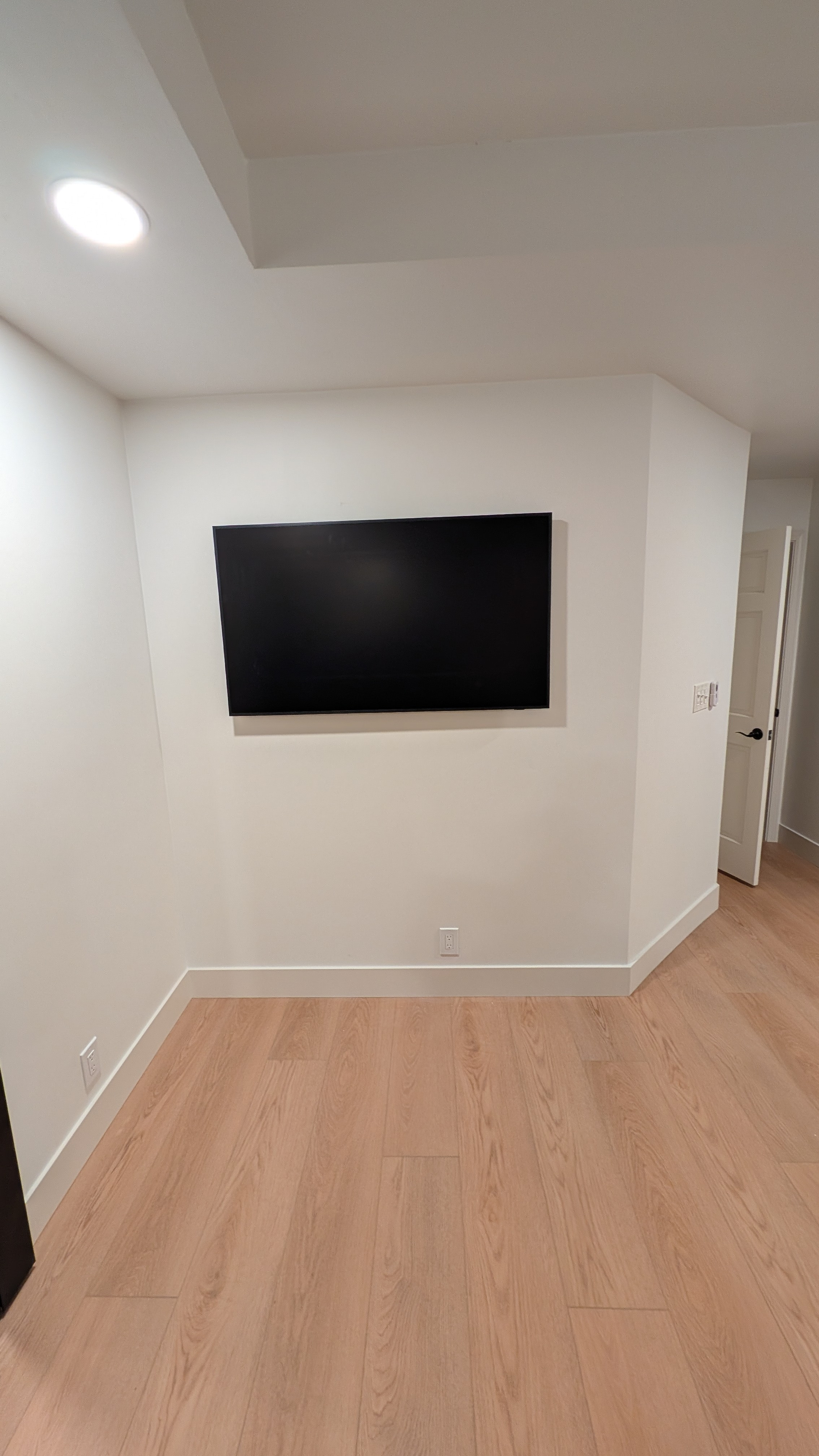
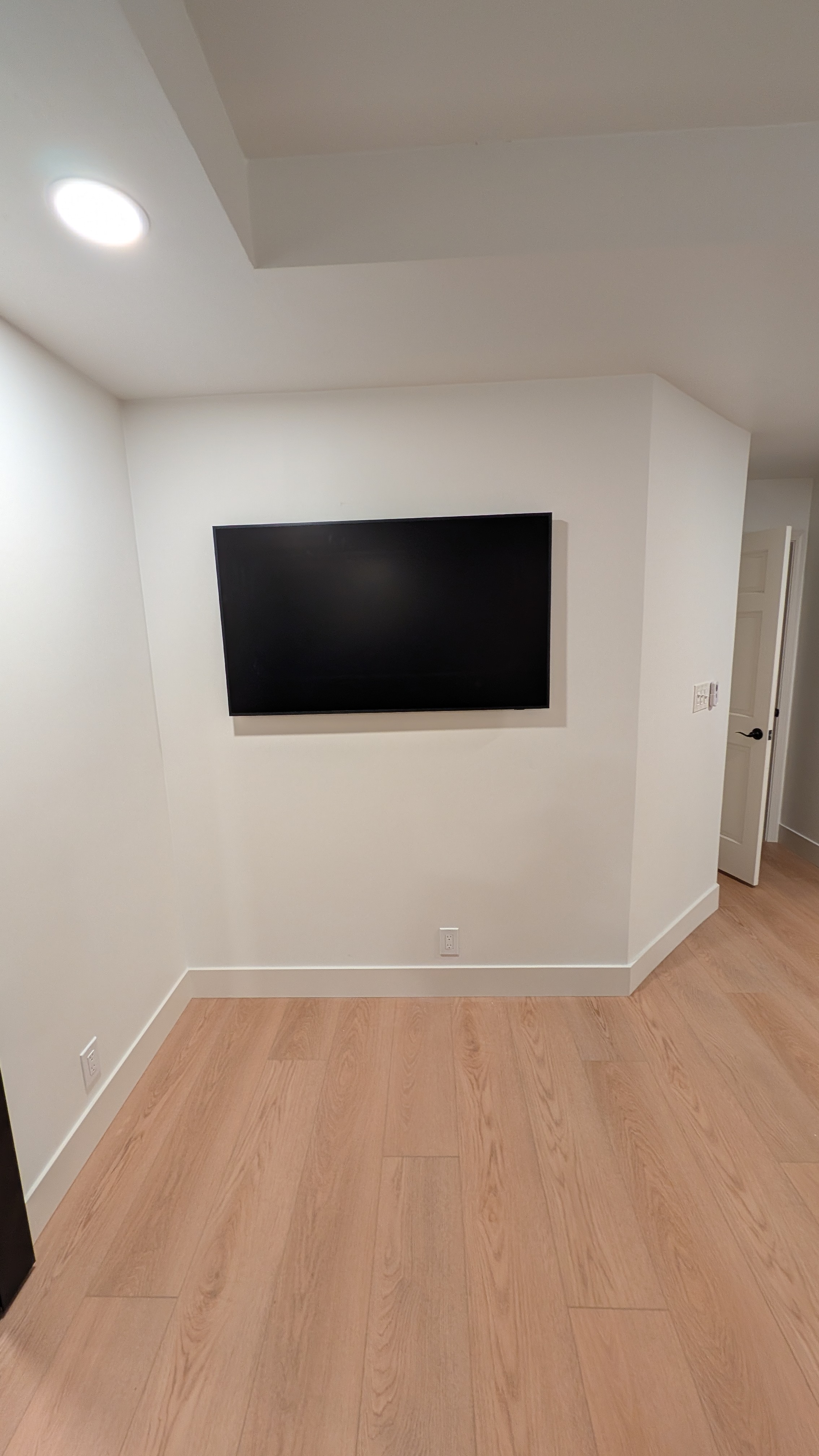
55-Inch Samsung Frame TV with Montek Slim Mount and Legrand In-Wall Box — Granite Bay, CA

By Dan Dyer|
55-inch Samsung Frame TV mounted flush on white drywall in a Granite Bay, CA media room

Job Specs

Location: Granite Bay, CA
TV: Samsung Frame TV, 55"
Mount: Montek slim (low-profile fixed) mount
In-wall box: Legrand OnQ recessed in-wall power and cable box
Wall: Drywall, standard stud spacing
Result: TV sits flush against the wall, all cables concealed inside the wall
55-inch Samsung Frame TV mounted flush on white drywall in a Granite Bay, CA media room

55-inch Samsung Frame TV mounted flush on white drywall in a Granite Bay, CA media room

Why a Slim Mount on a Frame TV

The Samsung Frame is built to look like wall art when it's off. A slim mount is the right pairing because it pulls the TV as tight to the wall as the mount allows — typically a 1 to 1.5 inch gap behind the panel. Anything thicker (a tilt mount or full-motion arm) defeats the look.

The Montek slim mount is a fixed bracket — no tilt, no swivel. The TV goes where it's mounted and stays there. For a Frame TV in a media room with seating directly in front of the screen, that's the right call.

The Legrand In-Wall Box

The recessed metal box visible in the side-profile photo is a Legrand OnQ in-wall media box. It does two things at once:

Power: A code-compliant recessed receptacle behind the TV, so the TV's power cord plugs in inside the wall instead of running down to a baseboard outlet.
Cable pass-through: Low-voltage cables (HDMI, network, etc.) drop into the box and route inside the wall cavity — usually down to a second box behind a media console or to a streaming device tucked inside the wall.

Running a standard TV power cord through the wall is against electrical code. The Legrand box solves that with a UL-listed in-wall power kit.
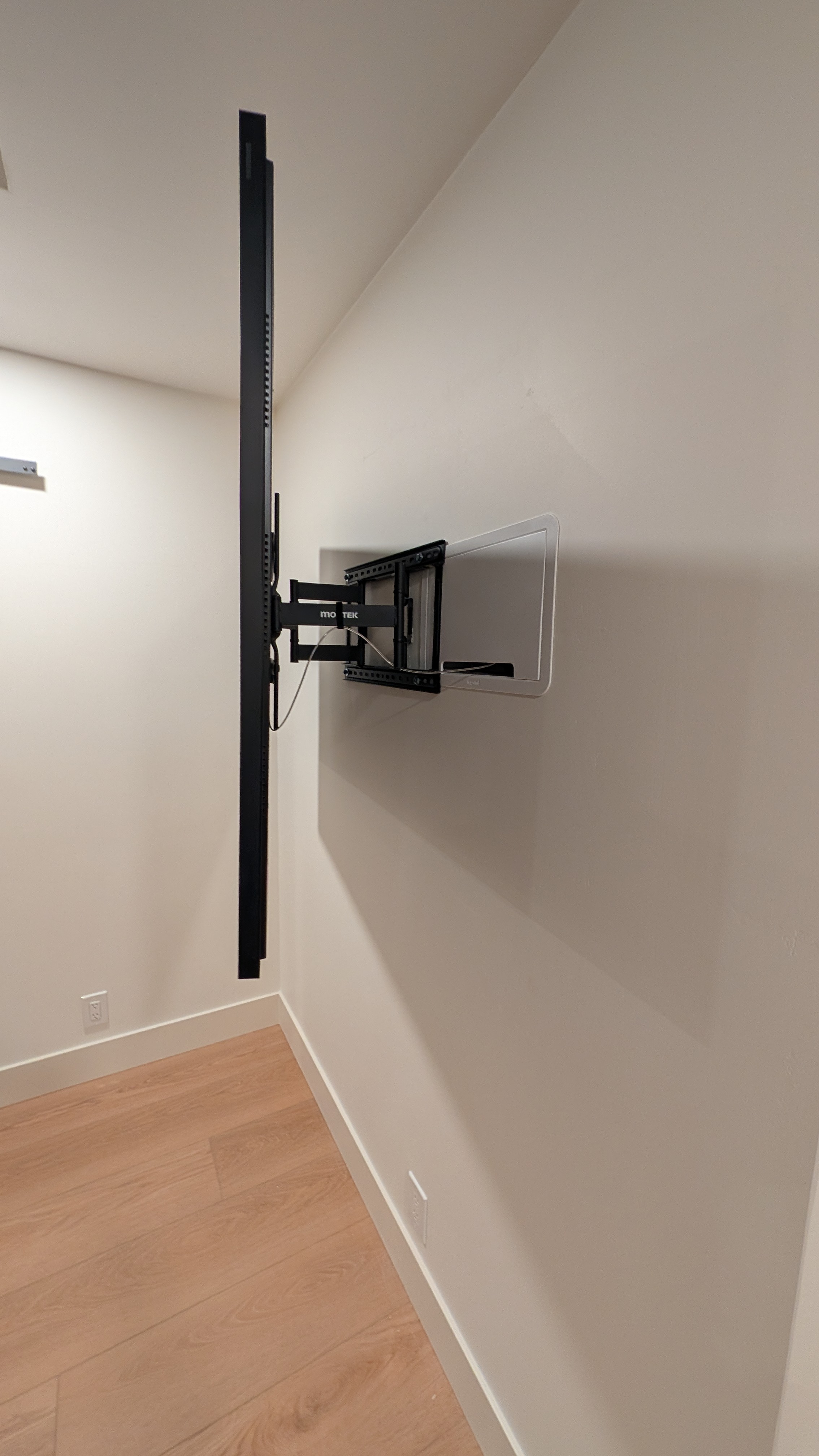
Side profile of 55-inch Samsung Frame TV pulled out on Montek slim mount showing Legrand recessed in-wall power and cable box in Granite Bay, CA

Side profile of 55-inch Samsung Frame TV pulled out on Montek slim mount showing Legrand recessed in-wall power and cable box in Granite Bay, CA

Install Steps

1.Locate studs behind the planned TV center, mark mount height for seated viewing.
2.Cut the drywall for the Legrand box at the TV power location and at the equipment location below.
3.Drop the box in and secure to the stud, run cables between the two boxes inside the wall cavity.
4.Tie in power — pigtail off the existing branch circuit feeding the room (licensed electrician scope if a new circuit is needed).
5.Mount the wall plate of the Montek slim mount to the studs, level across both bracket points.
6.Hang the TV on the bracket and connect HDMI plus the Frame TV's One Connect cable through the in-wall pathway.
7.Cover plates on, TV pushed flush. Done.

Room Context

The Frame is mounted on a square return wall in a finished basement-style media room — light wood floor, white walls, recessed can lighting, and a black sliding barn door directly to the left of the TV.
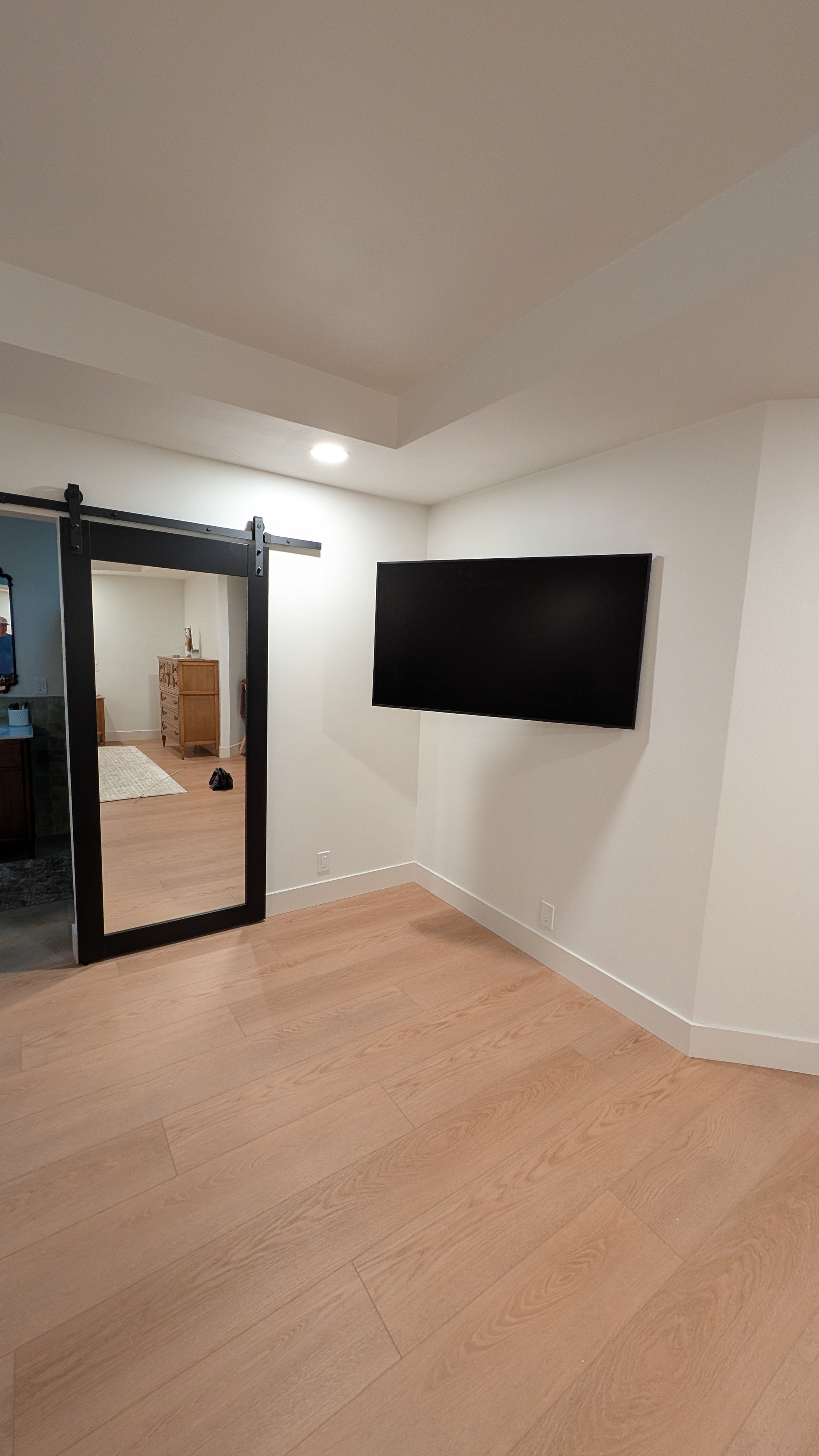
Room view of 55-inch Samsung Frame TV next to a black sliding barn door in Granite Bay, CA

Room view of 55-inch Samsung Frame TV next to a black sliding barn door in Granite Bay, CA

When This Setup Makes Sense

The TV is going on flat drywall, not stone or brick
You don't need to tilt or swivel after install
You want zero visible cables and a flush, art-like look
The Frame TV's One Connect box needs a clean place to live (this setup hides it inside the wall via the Legrand box)

Granite Bay TV Mounting

This is the kind of install I do regularly across Granite Bay, Roseville, Rocklin, Folsom, and the rest of the Sacramento area — ${business.jobsCompleted} jobs completed. If you have a Samsung Frame TV (or any flush-mount setup) and want it done right, call ${business.phone}.

Ready to Mount Your TV?

Get a free estimate in minutes. Same-day service available throughout Sacramento.

(916) 587-4912or